AI Crowd Face Portrait

AI Crowd Face Portrait

by ShreyX

000

Prompt

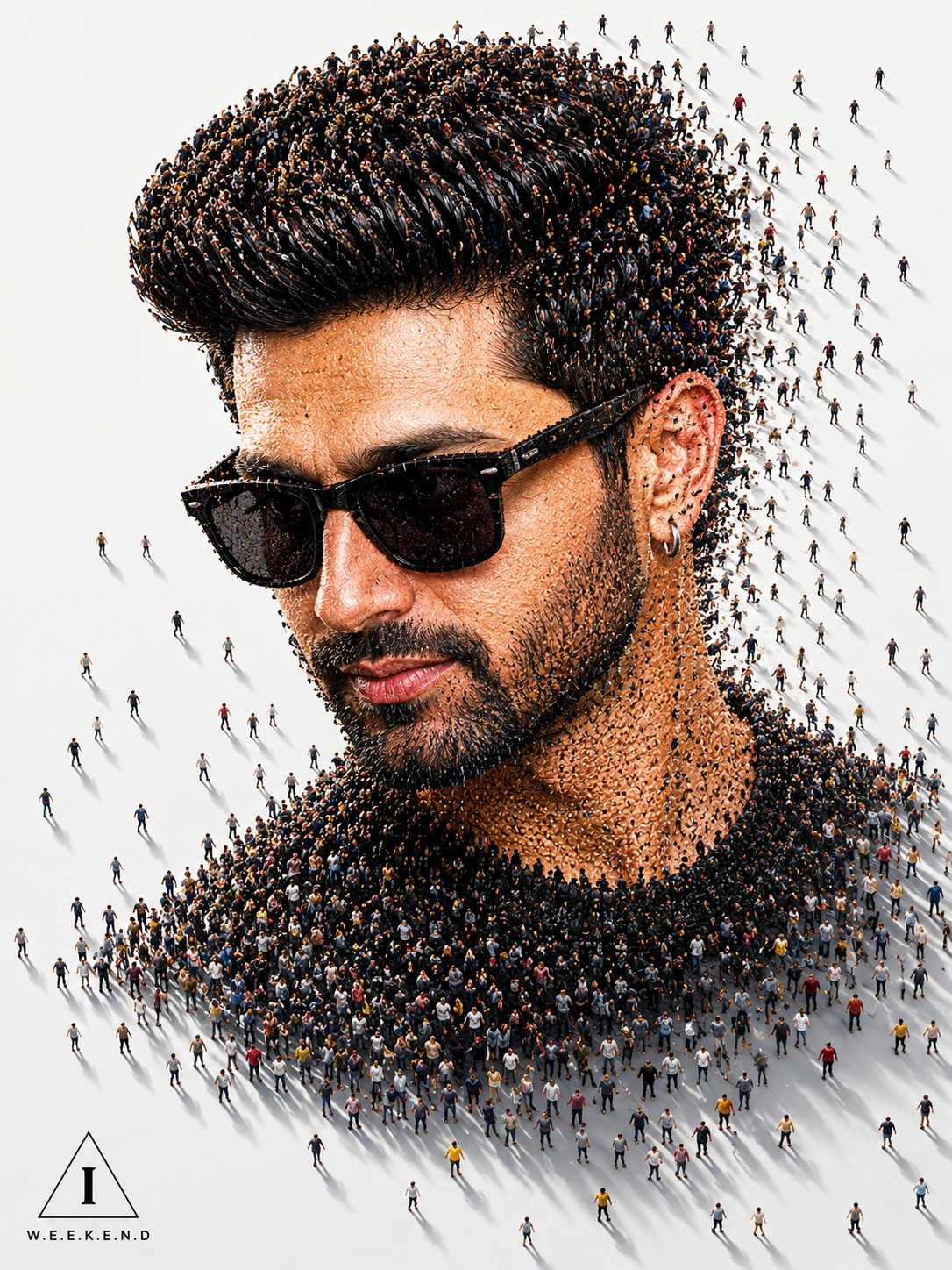
A surreal conceptual digital artwork of a man's side-profile portrait entirely formed by thousands of tiny human figures standing closely together. The man has strong masculine facial features, a defined jawline, light skin, short neat hair. The crowd seamlessly shapes his face, hair, neck, and shoulders, with individual people visible in different clothing colors and poses. Some people appear to be walking outward from the silhouette, creating a dynamic dissolving effect. The scene is viewed from a slightly elevated angle on a clean white background with dramatic long shadows cast across the ground by warm directional sunlight. The composition is minimalistic yet highly detailed, symbolizing collective identity, society, and human connection. Ultra-realistic, cinematic lighting. intricate crowd details, photorealistic textures, soft neutral tones, high depth of field, 8K resolution, conceptual art style, masterpiece quality. In the left bottom corner add a small triangle with a stylized "I" inside it and a text "W.E.E.K.E.N.D" beneath it. Keep the face 100% same as in the uploaded picture. size 3:4

About this prompt

Generate a unique AI portrait made from thousands of tiny people forming a face, perfect for conceptual art and creative profile images.

#conceptualaiart#creativeaiportrait

More Portrait prompts

View category
More prompts for ChatGPT Image

View model

What this prompt does

AI Crowd Face Portrait is a portrait prompt for ChatGPT Image. Generate a unique AI portrait made from thousands of tiny people forming a face, perfect for conceptual art and creative profile images.

Best use cases

  • Generate portrait outputs with a clear visual direction.
  • Explore conceptualaiart and creativeaiportrait styles, subjects, and compositions.
  • Build variations for portrait concepts.
  • Compare it with other portrait prompts before copying.

Recommended models

  • ChatGPT Image

Tips

  • Run the prompt once in ChatGPT Image before changing style or aspect-ratio terms.
  • Use the tags conceptualaiart and creativeaiportrait as variation handles.
  • For portrait work, adjust the subject, lighting, background, and format while keeping the strongest descriptive terms.